
How to price a website care plan in South Africa
Website care plans turn once-off projects into monthly income, and they're the easiest thing an agency can sell to a client who already trusts them. The hard part is the price. Here's how to work it out from your own numbers instead of guessing.
 By Jordan Sutherland · · 6 min read
Most web agencies already do some website maintenance. They update plugins when they remember, fix things when the client phones, and bill for it when they get round to it. A care plan takes that same work, puts a fixed price on it, and turns it into money that arrives on the first of every month.
This guide walks through what to put in a plan, how to price website maintenance packages for South African clients in rand, from your own numbers, and how to show the client every month that it's worth paying for.
Clients pay for peace of mind, not plugin updates
No client has ever woken up wanting their plugins updated. What they want is never to think about their website: it's up, it's safe, it's fast, and if something breaks, someone is already on it.
That changes how you sell the plan. Lead with the outcome, not the task list:
- "We'll know your site is down before you do, and usually fix it before you notice."
- "Your site stays updated and backed up, so a hack or a bad update is a 20-minute restore, not a rebuild."
- "Every month you get a one-page report showing exactly what we did."
The task list still matters. It goes in the proposal, so the client can see what they're buying. But the reason they sign is the first three lines.
What goes into a care plan
Every plan, at every tier, should include the basics. These are the jobs that protect the site and the ones that are hardest to explain after something has gone wrong:
- Uptime monitoring with alerts to you and, if they want, the client
- Plugin and theme updates, checked afterwards
- Backups stored off the server, with a restore you've actually tested
- Security checks: a security plugin or firewall, and someone reading its alerts
- A monthly report: uptime, updates done, time spent
Higher tiers then add the things clients will pay more for:
- Support hours for small changes: new pages, text edits, a banner for a sale
- Faster response: same business day instead of within three days
- Performance work: PageSpeed checks and fixes
- Check-in calls: a quarterly half hour to talk about the site

Three tiers that sell
Three options work better than one. Clients compare them with each other instead of with "do nothing", and many pick the middle one. Name them for what the client gets:
| Essential | Growth | Priority | |
|---|---|---|---|
| Who it's for | Brochure sites that rarely change | Active businesses that update their site | Sites the business depends on: shops, bookings |
| Monitoring, updates, backups, security | Yes | Yes | Yes |
| Monthly report | Yes | Yes | Yes, with PageSpeed scores |
| Support hours included | None | 1 hour | 3 hours |
| Response time | 3 business days | Next business day | Same business day |
| Quarterly check-in call | No | No | Yes |
Working out your price
There are two ways to price a care plan, and you need both: one tells you the lowest price that still makes you money, the other tells you how much higher you can go.
Start with cost-plus: your floor
Add up what one site costs you each month on each plan:
- Your time. Be honest. Updates, checking the site afterwards, reading alerts, the report and the occasional "quick question" email add up to around 45 minutes a month even on the simplest plan. Multiply by your hourly rate.
- Your tools, per site. Monitoring, backup storage, a share of premium plugin licences, a security service. Divide each tool's monthly cost by the number of sites it covers.
- A margin for risk and admin. Some months a site breaks and eats three hours. Invoicing, chasing payments and onboarding take time too. A margin of 40 to 50 percent on top of costs covers it.
Here's a worked example for a freelancer charging R450 an hour, with tools costing about R80 per site per month on the basic plan:
| Per site, per month | Essential | Growth | Priority |
|---|---|---|---|
| Hours (routine work + support) | 0.75 h | 2 h | 4 h |
| Time at R450 an hour | R338 | R900 | R1,800 |
| Tools per site | R80 | R120 | R200 |
| Cost | R418 | R1,020 | R2,000 |
| Plus 45% for risk and admin | R606 | R1,479 | R2,900 |
| Price (rounded) | R650 | R1,450 | R2,950 |
These are an example worked from one set of numbers, not market rates. Put your own rate and tool costs into the same table and the price falls out. If you're VAT registered, quote excluding VAT and add 15 percent on the invoice.
Then sanity-check against value: your ceiling
Ask what an hour of downtime costs the client. For an online shop doing R40,000 a month, a full day offline is more than R1,300 in lost sales, before you count the customers who don't come back. For a law firm or a dentist, one lost enquiry can be worth more than a year of your plan.
You don't need to put that maths in the proposal. But if a shop's care plan costs less than one day of its downtime, you're probably undercharging.
Proving the value every month
The fastest way to lose a care plan client is silence. If everything works, the client sees nothing happening and starts wondering what they pay for. The monthly report fixes that. Keep it to one page:
- Uptime: the percentage for the month, and any incidents with how quickly they were resolved.
- Updates: how many plugins, themes and core updates were done, and that the site was checked afterwards.
- Backups: how many were taken and where they're stored.
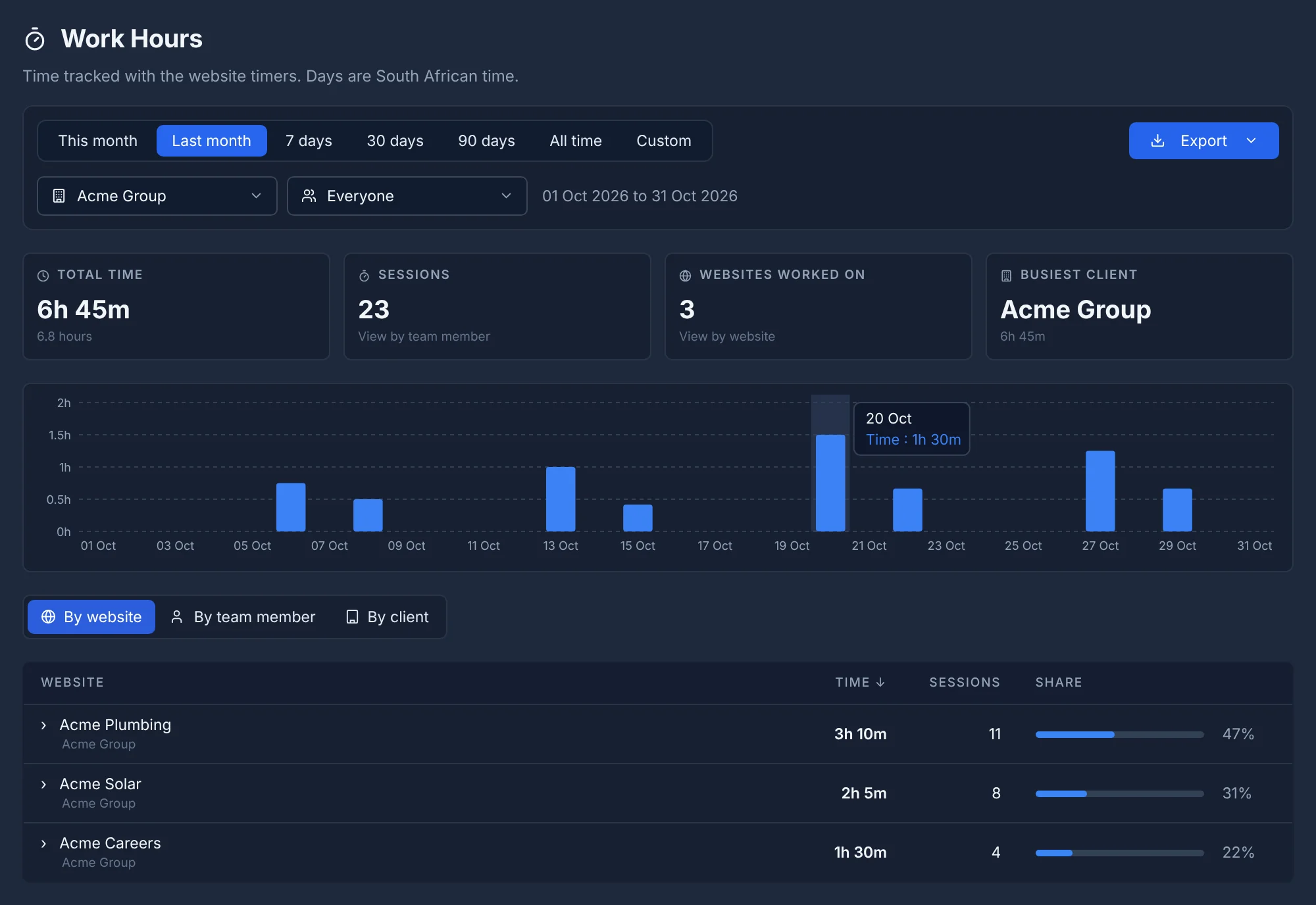
- Time: hours spent, including support requests, against the hours in their plan.
- Speed: PageSpeed scores, on the higher tiers, with any change since last month.
- One recommendation: something worth doing next month. This is where extra work comes from.
If gathering that takes you more than ten minutes per client, your tools are working against you. Uptime, update history and logged hours should come out of one system as a PDF, not be copied from five.
Moving existing clients onto a plan
Your best first care plan clients are the ones whose sites you already built. They trust you, and many already assume you're looking after the site. Some will be surprised to hear you're not.
A short email works better than a sales call:
Hi [name],
Your website has been live for [time] now and it's doing well. Websites need regular updates and backups to stay safe and fast, and we're now offering this as a monthly care plan so you never have to think about it.
For [client's business], I'd recommend our Growth plan at R1,450 a month. It covers monitoring, updates, backups and an hour of changes each month, and you'll get a one-page report showing what we did.
Happy to talk it through. If you'd like to go ahead, just reply and we'll start on the 1st.
Recommend one plan by name. Asking "which would you like?" puts the work on them; telling them what you'd choose for their business makes it easy to say yes.
Billing, contracts and scope creep
- Bill in advance, on the 1st, by debit order or card if you can. Chasing care plan invoices wipes out the margin.
- Offer annual billing with one month free. It helps your cash flow and keeps clients for a full year.
- Unused support hours don't roll over. Say so in the plan. Otherwise you'll owe someone 11 hours in December.
- Define "small change". Anything that takes more than the plan's hours, or is a new feature rather than a change, is quoted separately.
- Keep a 30-day cancellation. A long lock-in makes clients hesitate to start. Good service keeps them better than a contract does.
Copy this into your spreadsheet
Five columns are all you need to price your own plans: plan, hours a month, your hourly rate, tools per site and margin. The price is (hours × rate + tools) × (1 + margin), rounded to a clean number. Change your rate and every plan updates.
Start with three plans, sign your first five clients, then look at the hours you actually logged for each. After three months you'll know exactly where your prices should be.
Frequently asked questions
How much should I charge for website maintenance in South Africa?
Work it out from your own costs: the hours each plan includes at your hourly rate, plus your tools per site, plus a margin for risk and admin of around 40 to 50 percent. For a freelancer charging R450 an hour, that lands at roughly R600 to R700 a month for a basic plan and R1,400 to R3,000 for plans with support hours.
What should a website care plan include?
At minimum: uptime monitoring, plugin and theme updates, backups, a security check and a short monthly report. Higher tiers add support hours, faster response times, performance work and small content changes.
Should I charge VAT on a care plan?
If you are registered for VAT, add 15 percent to the plan price and show prices clearly as excluding or including VAT. If you're not registered, don't charge it. Speak to your accountant about when registration becomes compulsory for you.
Monthly or annual billing for care plans?
Offer both. Monthly is easier to say yes to; annual paid upfront improves your cash flow, so give a small discount such as one month free for paying annually.
Keep reading
 The agency guide
Website monitoring for agencies: what to check, how often, and who gets the alert
What agencies should monitor on client websites, how often to check, and who should get the alert. A practical setup for 10 to 500 sites.
 WordPress
How to update WordPress plugins on 50 client sites without breaking them
A safe weekly routine for updating WordPress plugins and themes across dozens of client sites, and what to do when an update breaks one.